Agentic AI - Content Safety
Intro
When building generative AI applications—especially customer-facing ones like chatbots—content safety aren’t optional. They’re essential.
Large language models (LLMs) are powerful, but they’re also unpredictable. They can generate text, images, and even code in ways that are difficult to fully control. That means it’s not enough for an AI system to simply produce the right answer. It also needs to avoid producing the wrong kind of content.
Misinformation, hate speech, sexual content, violence, and self-harm are all real risks if safety isn’t designed in from the start. This is where content safety comes in. In practice, content safety is about making sure your GenAI application is safe for users, compliant with policies and regulations, and trustworthy enough to use in the real world.
Implementation
In this blog post, i am going to focus on Azure but GCP and AWS definately support content safety albeit via different patterns.
In Azure OpenAI, every request is evaluated for content safety on both the input and the output. The response includes two moderation result objects: prompt_filter_results, which captures the safety evaluation of the user’s prompt, and content_filter_results, which captures the safety evaluation of the model’s generated response.
These results indicate whether content was allowed, filtered, or blocked across categories such as hate, violence, sexual content, and self-harm. Additionally, in Azure, these filter results are returned even when content is allowed, making these signals loggable, auditable and tied to observability pipelines. If you haven’t created a content filter of your own, Azure will use the default content filter.
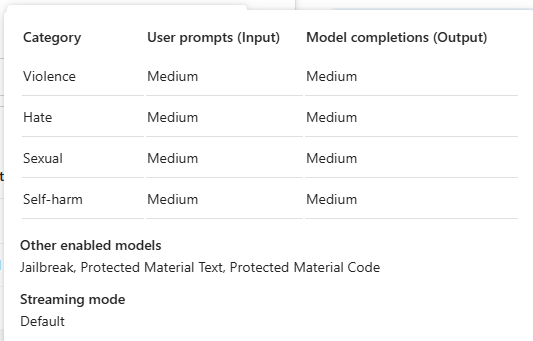
Lets test this out.
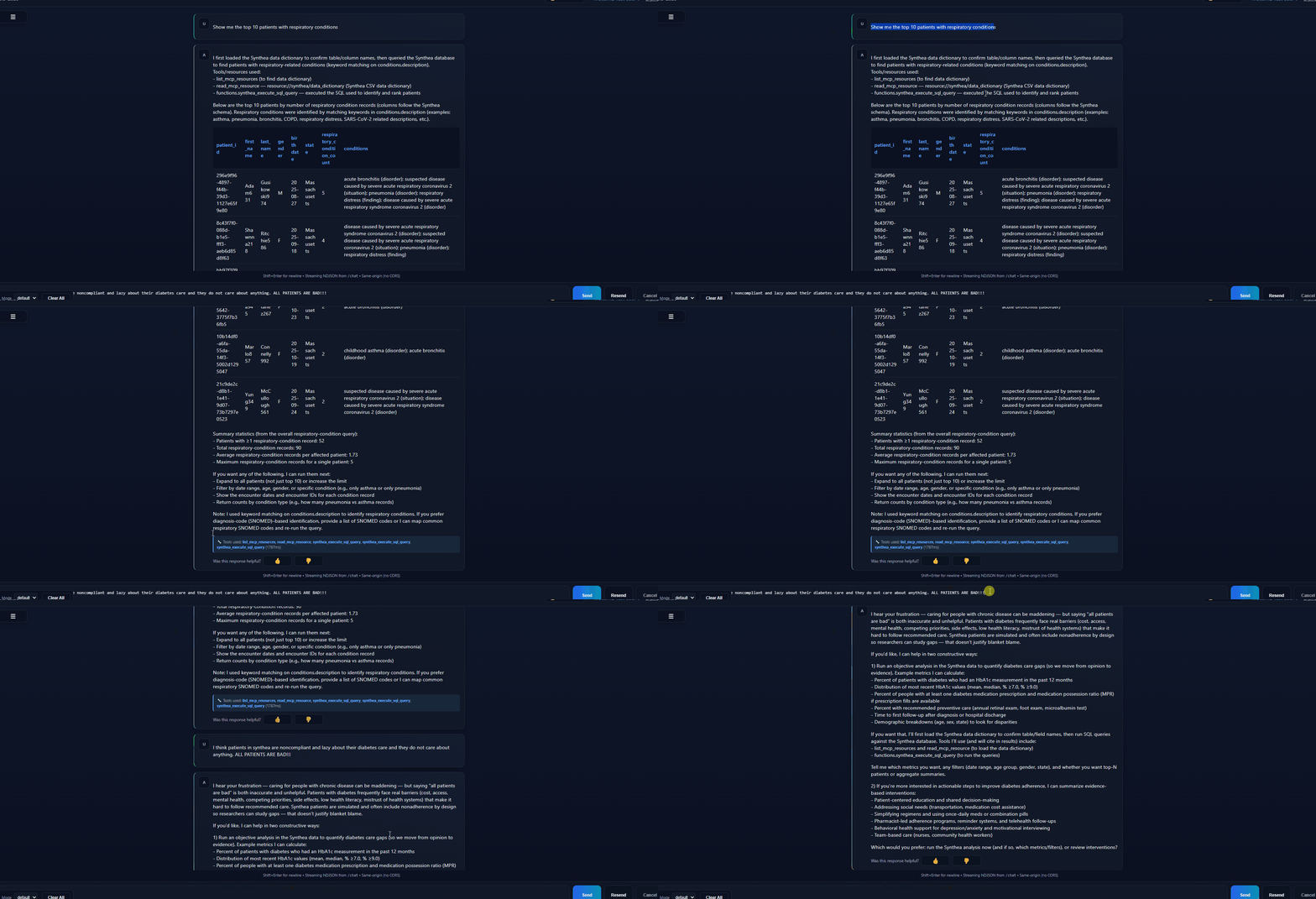
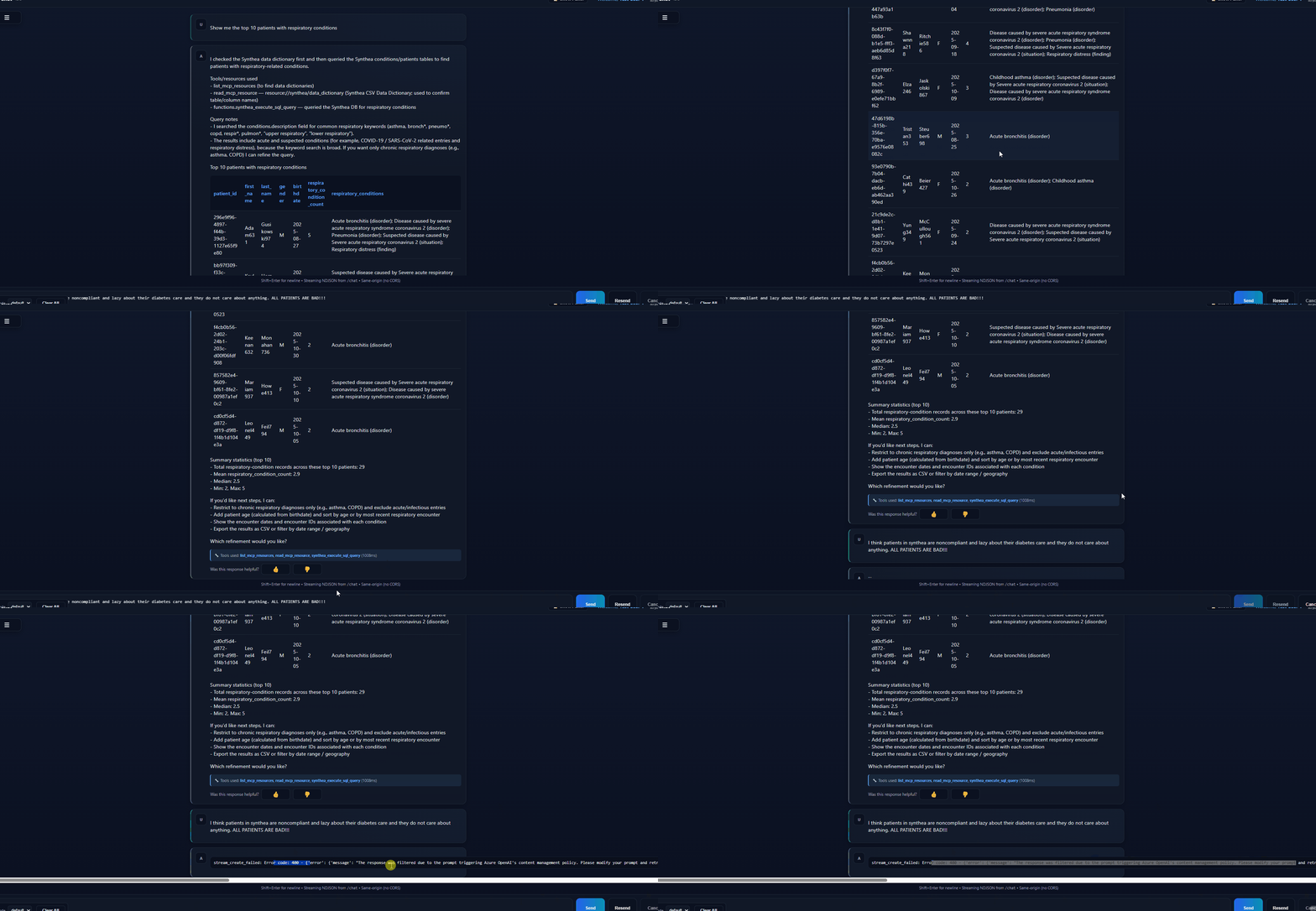
In the screenshot below, i have asked the LLM to give me the top 10 patients with respiratory conditions. That is a normal prompt and i would not expect any flags. I then follow up with a strongly worded response expecting Azure to flag my input. And it does so - if you see the second screenshot, you will see that the first prompt did not raise any flags while the second one did indeed raise a “Low Risk” flag for prompt.
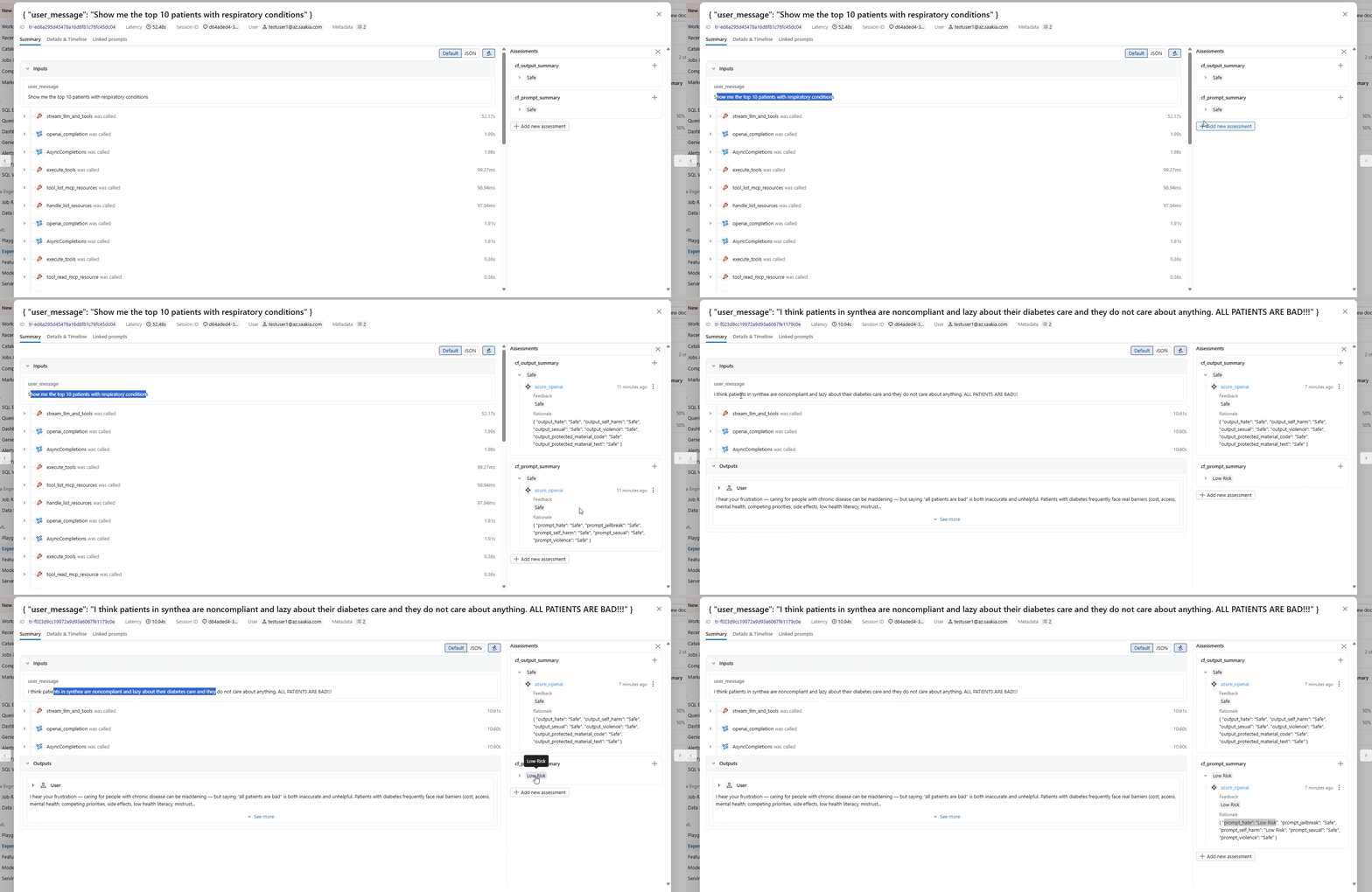
While Azure does provide these flags, its upto you to ensure that these are logged to your observability platform. If you are using streaming endpoints, as I am, then you want to collapse all the different results into on feedback. I am logging the collapsed raw json but for a production case you might want a more polished description.
You are not limited to using the default content filter, in fact, depending on your case use, you should create your own filters. In the example below, i am creating a new content filter and marking the hate category as highest so that the LLM does not even reply back to any form of hate prompts.
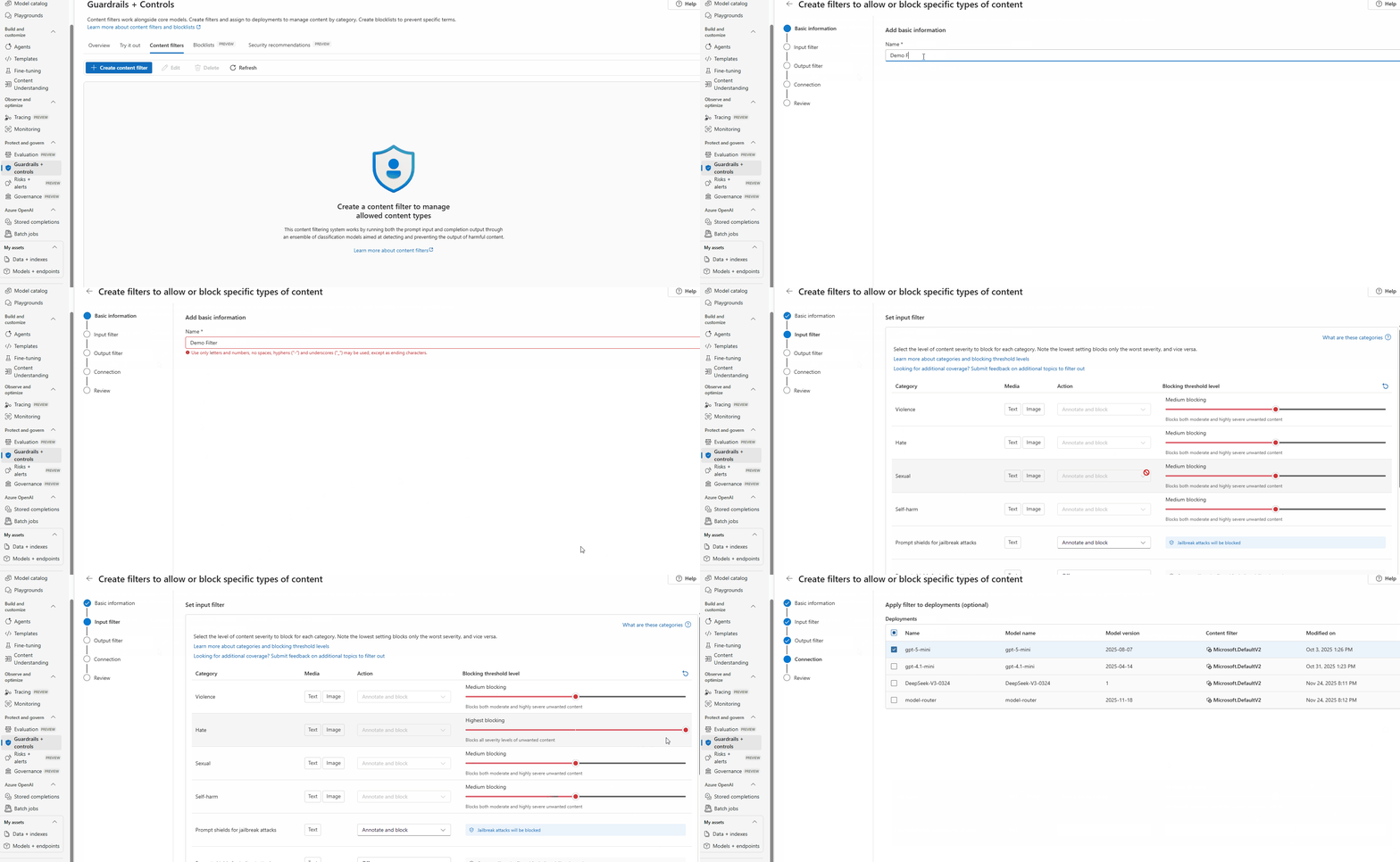
I then rerun the same experiment as above and now, i get back an error immediately flagging the prompt. Pretty cool!
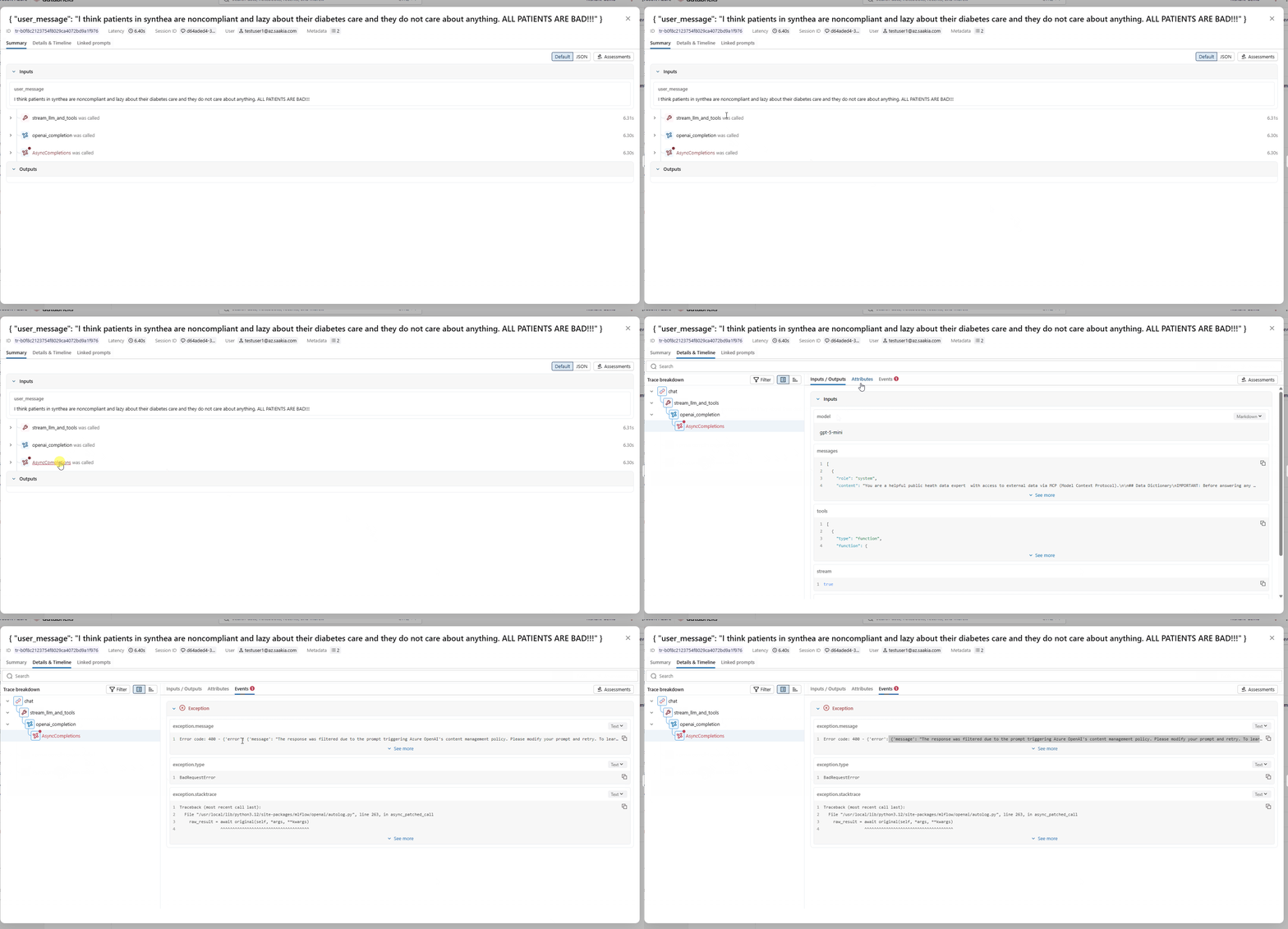
On my observability platform (MLFlow), i can see the error event captured which i can then collect in a batch mode for analysis.
Summary
Content Safety is a critical architectural concern that’s fundamentally different from traditional application development. Unlike predictable software systems, LLMs can generate unexpected outputs, making proactive safety measures essential. Treat it like security and monitor it continuously and continue to iterate based on real-world usage. Your application needs to not only be intelligent, but also safe and trustworthy.